

24 September
Website design
How to Choose WordPress Hosting in Egypt and Saudi Arabia
- Mohamed ElSaeed
- 7 Comments
Introduction: Your Hosting Decision Can Shape Your Entire Website
Choosing the right WordPress hosting in Egypt and Saudi Arabia is one of the most important decisions you can make before launching a website.
You can invest in professional UI/UX, high-quality content, SEO, and a powerful WordPress setup, but poor hosting can still leave visitors dealing with slow loading times, temporary outages, delayed server responses, or an inconsistent browsing experience.
Web hosting is not simply where your website files are stored. It affects how quickly WordPress processes requests, how reliably your website remains available, how comfortably it handles traffic growth, and how efficiently your optimization stack can perform.
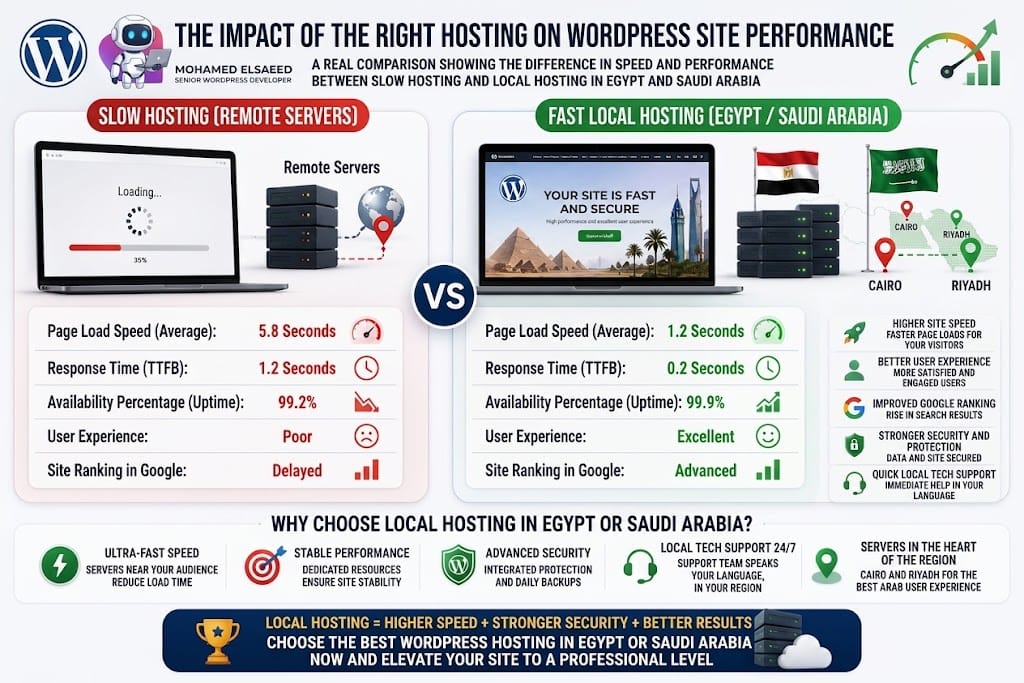
For businesses targeting visitors in Egypt, Saudi Arabia, or the wider Middle East, server location also deserves attention. A website hosted close to its main audience generally benefits from lower network latency, while a well-configured CDN can further reduce the distance between static website assets and visitors.
In this guide, I’ll explain the main hosting types, the role of server location, the features you should prioritize, and how to choose a WordPress hosting environment that actually fits your business rather than simply choosing the cheapest available plan.
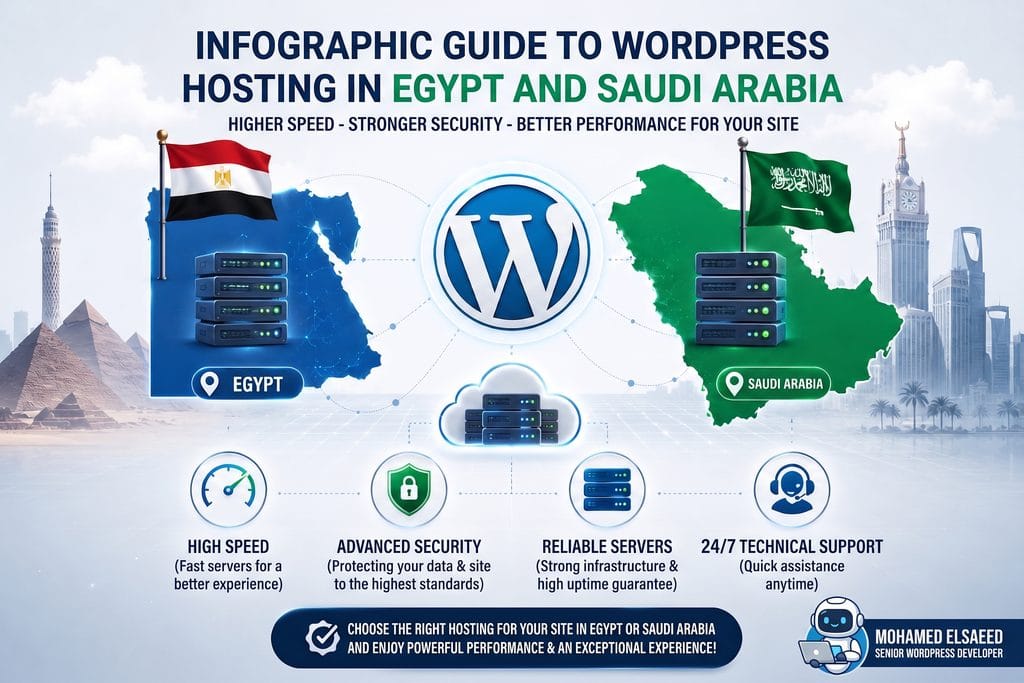
Why Is WordPress Hosting Different From Regular Web Hosting?
Before comparing hosting providers, it is important to understand something that is often misunderstood: WordPress hosting is not necessarily a completely different type of server.
A WordPress website can run on shared hosting, VPS hosting, cloud infrastructure, or a dedicated server. What makes a hosting plan “WordPress hosting” is usually the way the environment and services are optimized around WordPress.
Shared Hosting
Shared hosting places multiple customer accounts on the same underlying server infrastructure. Resources are shared between websites, which helps keep the price relatively low.
This makes shared hosting practical for:
- Small business websites
- Personal websites
- Portfolios
- New blogs
- Low-traffic landing pages
The downside is that resource availability can be more limited than on VPS or cloud environments, particularly when a website grows or starts running demanding WordPress plugins.
Managed WordPress Hosting
Managed WordPress hosting focuses on reducing the technical work required to operate a WordPress website.
Depending on the provider and plan, this may include WordPress-specific caching, automatic updates, backups, staging environments, security tools, monitoring, and WordPress-focused technical support.
Managed WordPress hosting can still run on shared, cloud, or other infrastructure, so the word “managed” describes the management and optimization layer, not necessarily the physical server type.
WordPress currently recommends hosting environments that support PHP 8.3 or later, MariaDB 10.11+ or MySQL 8.0+, and HTTPS.
Server Location: One of the Most Important Hosting Factors
How Does Server Location Affect Website Speed?
Every time someone visits your website, information must travel between the visitor’s device and your hosting server.
The greater that network distance—and the less efficient the route—the more latency can be introduced.
For example, if most of your customers are located in Riyadh, Jeddah, or Dammam, hosting your website closer to the Middle East can provide better latency than choosing a distant region simply because the hosting plan is cheaper.
The same principle applies to websites targeting Egypt.
However, server location is only one part of performance. A fast website also depends on factors such as:
- Server resources
- PHP performance
- WordPress configuration
- Database efficiency
- Caching
- Image optimization
- Theme and plugin quality
- CDN configuration
- Front-end CSS and JavaScript
A poorly optimized website on a nearby server can still be slower than a properly optimized website hosted slightly farther away.
What Does Hosting Performance Mean for SEO?
Website speed and user experience matter for SEO, but they should be understood correctly.
Google states that Core Web Vitals are used by its ranking systems, while also emphasizing that there is no single page-experience signal and that excellent performance scores alone do not guarantee higher rankings. Relevant, useful content remains fundamental.
Good hosting therefore supports SEO indirectly and technically by giving your website a stronger foundation for:
- Faster server responses
- Better Core Web Vitals
- Reliable crawling
- Stable uptime
- Better mobile user experience
You should not choose hosting because someone promises that a specific server will automatically “rank you higher.” Choose it because it helps you build a faster, more reliable website.
Which Server Locations Are Suitable for Egypt and Saudi Arabia?
For an Egyptian audience, nearby European locations such as Germany, France, or the Netherlands can provide a practical balance between latency, infrastructure quality, availability, and price.
For Saudi Arabia and other Gulf markets, Middle Eastern infrastructure such as Bahrain, Dubai, Doha, or other nearby regions can be attractive when the hosting provider supports them.
Availability differs between providers and plans. For example, Hostinger currently lists several European locations including France, Germany, Lithuania, the Netherlands, and the United Kingdom for its web and cloud hosting plans.
Cloudways provides access to a much wider range of cloud regions through infrastructure partners, including Middle Eastern options, and has offered AWS regions in Bahrain and Dubai.
For websites serving visitors across several countries, combine a sensible origin location with a properly configured CDN such as Cloudflare or the CDN solution provided by your hosting company.
Which Type of WordPress Hosting Is Right for Your Project?
1. Shared Hosting — A Practical Starting Point
Shared hosting is usually most suitable for smaller websites with relatively modest resource requirements.
Suitable for: blogs, portfolios, small corporate websites, and early-stage projects.
Advantages:
- Lower starting cost
- Simple management
- Usually includes an easy WordPress installer
- Requires less server administration knowledge
- Good enough for many small websites when properly optimized
Limitations:
- Lower resource isolation than VPS or cloud hosting
- Performance may be more restricted during traffic spikes
- Heavy WooCommerce or LMS websites can outgrow entry-level plans
- Less control over server-level configuration
Practical example:
A small professional services company in Cairo needs a five-page website with a contact form, company information, and a blog. A good shared or managed WordPress plan may be more than enough.
2. VPS Hosting — More Resources and Greater Control
A VPS, or Virtual Private Server, gives your project a more isolated allocation of server resources and usually much greater configuration control.
Suitable for: growing WooCommerce stores, busy content websites, learning platforms, membership systems, and projects with heavier backend workloads.
Advantages:
- Greater control over server configuration
- Dedicated or clearly allocated resources depending on the platform
- More flexibility for caching and server software
- Better scalability for demanding applications
- Suitable for custom WordPress environments
Limitations:
- Usually requires stronger technical knowledge
- Server security and maintenance may become your responsibility
- Poor VPS configuration can perform worse than high-quality managed hosting
Practical example:
A WooCommerce business operating in Saudi Arabia has a growing product catalog, multiple integrations, payment gateways, and increasing traffic. A properly configured VPS or cloud environment may provide more room for growth than an entry-level shared plan.
Hosting is only one part of WordPress performance optimization, while caching, image optimization, CSS, JavaScript, and database efficiency also affect real-world loading speed.
3. Managed WordPress Hosting — For Businesses That Want Less Technical Management
Managed WordPress hosting is a strong option when you prefer the hosting company to handle a larger part of the technical infrastructure.
Suitable for: established companies, agencies, ecommerce businesses, publishers, and website owners who value managed support.
Depending on the provider, features can include:
- Automated backups
- Staging environments
- WordPress-specific caching
- Security monitoring
- Automated or managed updates
- CDN integration
- Performance tools
- WordPress-focused support
The trade-off is usually a higher price than basic shared hosting.
Practical example:
A company in Riyadh relies heavily on its website for lead generation and does not want its internal team managing server configuration, caching, backups, and technical updates manually. Managed WordPress hosting can reduce that operational workload.Contact
Popular WordPress Hosting Options for Egypt and Saudi Arabia
Rather than choosing a hosting company based only on marketing claims, compare the specific plan you intend to purchase. Features, data-center availability, resource limits, backup policies, and renewal prices can vary significantly between plans.
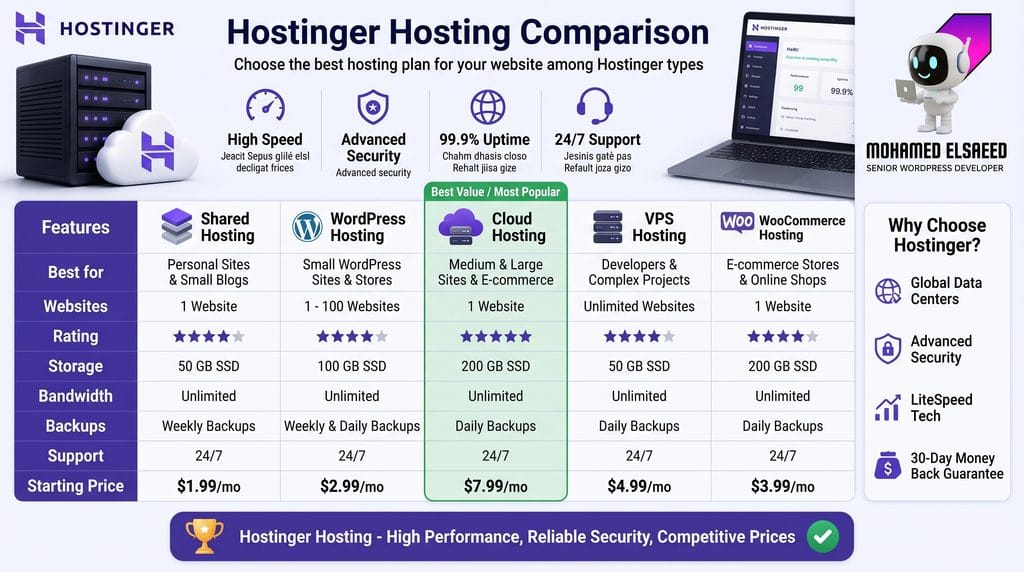
1. Hostinger — Accessible WordPress Hosting for Small and Medium Projects
Hostinger is a widely available option for WordPress websites and currently operates data centers across Europe, Asia, North America, and South America.
Its WordPress-focused services can include features such as automatic WordPress updates, LiteSpeed caching and staging, depending on the selected plan.
For Egyptian projects, European server locations can be particularly practical when combined with a CDN.
Best suited to: portfolios, company websites, blogs, landing pages, and small-to-medium WordPress projects where ease of management and cost efficiency are important.
2. Cloudways — Managed Cloud Hosting With Flexible Server Locations
Cloudways takes a different approach. Rather than operating all underlying infrastructure itself, it provides a managed platform over multiple cloud infrastructure providers.
That gives businesses access to a broad selection of server regions and allows them to choose infrastructure closer to their users.
Cloudways reported more than 150 data-center options across its infrastructure partners in 2026, including coverage in the Middle East.
This can be valuable for businesses targeting Saudi Arabia or several international markets and needing more infrastructure flexibility.
Best suited to: growing ecommerce websites, agencies, high-traffic WordPress projects, and companies that want managed cloud infrastructure without administering everything manually.
3. VPS Hosting — For Projects That Need More Technical Control
A VPS can make sense when your project has outgrown standard hosting or you need server-level flexibility.
You may be able to choose:
- Operating system
- Web server stack
- PHP configuration
- Object caching
- Firewall rules
- Backup architecture
- Database configuration
However, a VPS should not be selected simply because it sounds more powerful.
An unmanaged VPS requires ongoing responsibility for security, updates, monitoring, backups, and troubleshooting. If you do not have the technical capability to manage it properly, managed hosting may deliver a better real-world result.
Local Hosting Providers
Egyptian and Saudi businesses can also consider local or regional hosting companies.
Potential advantages may include:
- Local payment methods
- Billing in local currency
- Arabic-speaking customer service
- Local business relationships
- Regional hosting or data-location options
But the fact that a provider is local does not automatically mean it is faster or more reliable.
Before purchasing, check:
- Where the server is physically located
- Guaranteed or historical uptime
- Resource limitations
- Backup frequency
- Technical support availability
- SSL support
- PHP and database versions
- Upgrade options
- Refund policy
- Customer reviews from long-term users
WordPress currently recommends hosting environments that meet its official hosting requirements.
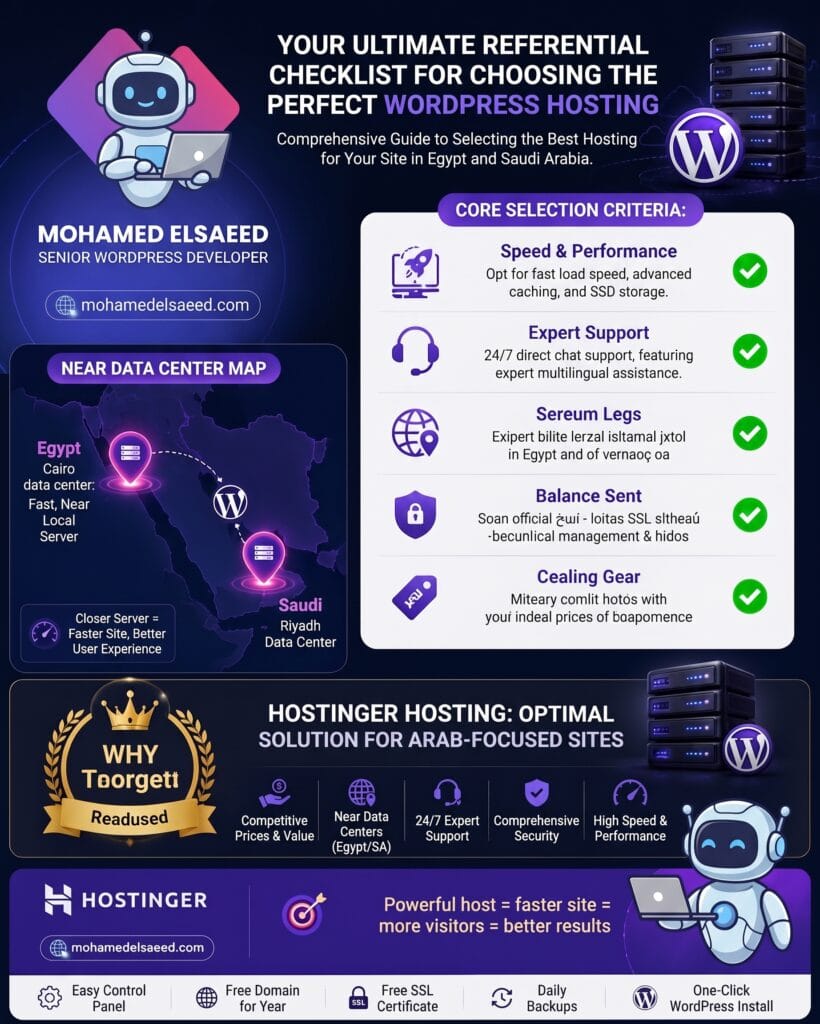
5 Hosting Requirements You Should Never Ignore
First: Reliable Uptime
Your website cannot generate leads, sales, bookings, or enquiries while it is unavailable.
Look for a provider with a clear uptime commitment and a reliable infrastructure record. A figure around 99.9% is commonly used as a baseline, but also check what the provider actually guarantees in its service agreement and whether compensation is offered when that commitment is missed.
Second: SSL and HTTPS Support
HTTPS should be considered essential, not an optional upgrade.
WordPress itself lists HTTPS support among its recommended hosting requirements.
Most reputable hosting plans now provide SSL certificates or straightforward SSL integration.
Third: Automatic Backups
Backups are one of the most important safeguards for any WordPress website.
For an active business website, daily backups are preferable, particularly for WooCommerce, LMS, membership, or frequently updated websites.
Also check:
- How long backups are retained
- Whether restoration is one-click
- Whether backups are stored separately
- Whether manual backups are available before major updates
Fourth: Scalability
Your hosting should support your website not only today but also after it grows.
A website may start with a few hundred visitors and later require more PHP workers, memory, CPU, database capacity, storage, or CDN bandwidth.
Choose infrastructure that allows you to upgrade without unnecessarily rebuilding or migrating the entire website.
Fifth: Reliable Technical Support
Good support becomes especially valuable when your website experiences an unexpected server error, SSL issue, backup problem, DNS issue, resource limitation, or email configuration problem.
If you prefer Arabic support, verify that it is actually available on the plan and support channel you intend to use rather than assuming it based solely on the provider’s localized website.
Common Mistakes When Choosing WordPress Hosting
Choosing Based Only on Price
The cheapest plan is not always the most economical option.
If poor hosting causes downtime, slow performance, abandoned purchases, or frequent technical problems, the indirect cost can be much higher than the monthly saving.
Ignoring Server Location
If nearly all your customers are in Egypt or Saudi Arabia, there is little reason to choose an unnecessarily distant server when a closer, reliable region is available.
At the same time, do not judge hosting only by geography. Server quality and website optimization still matter.
Ignoring Renewal Pricing and Refund Policies
Introductory prices may be significantly lower than renewal prices.
Before purchasing, check:
- Initial subscription cost
- Renewal cost
- Contract length
- Refund conditions
- Migration charges
- Backup costs
- Additional CDN or email costs
Choosing Hosting Without Checking WordPress Requirements
Modern WordPress hosting should support current PHP and database versions as well as HTTPS.
WordPress currently recommends PHP 8.3+, MariaDB 10.11+ or MySQL 8.0+, together with HTTPS support.
Ignoring Future Growth
A small website may not remain small.
Your hosting requirements can change when you introduce WooCommerce, multilingual content, booking systems, an LMS, membership functionality, large traffic campaigns, or complex integrations.
Plan for a reasonable upgrade path from the beginning.
Conclusion: Choose Hosting for Your Website, Not for the Advertisement
Choosing WordPress hosting in Egypt and Saudi Arabia should start with your actual website requirements.
A small portfolio does not need the same infrastructure as a large WooCommerce store. A corporate website does not have the same workload as an educational platform serving hundreds of logged-in students.
For an Egypt-focused website, a strong European location combined with a well-configured CDN can be an effective setup. For Saudi Arabian and Gulf audiences, a nearby Middle Eastern cloud region can reduce latency when it is available and financially appropriate.
The right choice also depends on your technical experience and how much server management you want to handle yourself.
| Project Type | Practical Hosting Starting Point |
|---|---|
| Portfolio or small business website | Shared or Managed WordPress Hosting |
| Growing corporate website | Managed WordPress or Cloud Hosting |
| WooCommerce store | Managed WordPress, Cloud, or VPS |
| LMS / Membership platform | Cloud, VPS, or high-resource Managed Hosting |
| Large ecommerce or high-traffic platform | Scalable Cloud or Managed VPS |
Do not focus only on the advertised price.
Evaluate performance, backups, security, resources, server location, scalability, support, and the quality of the hosting environment as a complete package.
Your hosting is the technical foundation underneath your WordPress website. Choosing that foundation carefully makes every later optimization—from caching and image compression to Core Web Vitals and SEO—much easier to manage.
Need Help Choosing the Right WordPress Hosting?
If you are planning a new WordPress website or preparing to move an existing website to better hosting, I can help you evaluate the requirements of your project and choose an environment that fits its expected traffic, functionality, performance needs, and target market.
I can also help you build a professional WordPress website with a focus on responsive design, performance, usability, technical SEO foundations, and long-term maintainability.
Footnotes
- Best Managed WordPress Hosting: 8 Providers Tested for Speed & Support ↩
- Does Hosting Location Affect SEO? Server Location vs. CDN for Rankings ↩
- When 200ms Costs You Rankings – Server Location Impact on SEO ↩
- Shared vs VPS vs Dedicated Web Hosting ↩
- Shared vs. VPS vs. Dedicated Hosting for WordPress (2026 Guide) ↩
- WordPress Hosting: Compare Types, Providers & Pricing ↩
- Best Web Hosting in Egypt – 11 Cheap & Local Providers Compared ↩
- Best Web Hosting for Saudi Arabia – Top 12 Providers Compared ↩
- 12 Providers Tested for Speed and Scalability – WordPress VPS Hosting ↩



How to Build a WooCommerce Store in 9 Steps | 2026
[…] you are still deciding where your store should be hosted, my WordPress hosting guide for Egypt and Saudi Arabia explains server location, hosting types, performance, security, scalability, and the infrastructure […]
Best WordPress Speed Optimization Plugins (2026)
[…] to the final experience. If your hosting environment is already limiting your site, start with my WordPress hosting guide for Egypt and Saudi Arabia before trying to fix everything with optimization […]
Mohamed Elsaeed | WordPress Developer & UI/UX Designer
[…] Egypt, Saudi Arabia, or international audiences, the technical environment matters too. The WordPress hosting guide for Egypt and Saudi Arabia explains how hosting, server location, caching, security, and scalability affect the wider website […]
WooCommerce Setup Guide: Build an Online Store Step by Step
[…] you are unsure which hosting type fits your project, my WordPress hosting guide for Egypt and Saudi Arabia explains shared hosting, managed WordPress, VPS, cloud infrastructure, server location, CDN usage, […]
Local SEO in Egypt & Saudi Arabia: 7 Strategies (2026)
[…] also affects the technical foundation. My WordPress hosting guide for Egypt and Saudi Arabia explains server locations, hosting types, security, performance, and […]
WordPress Tools and Plugins I Use for Websites (2026)
[…] planning a new project, choosing the infrastructure comes before selecting dozens of plugins. My WordPress hosting guide for Egypt and Saudi Arabia explains how hosting type, server location, resources, CDN configuration, and scalability affect […]
WordPress Business Website Design: Complete Guide 2026
[…] you are still deciding on the technical infrastructure, my WordPress hosting guide for Egypt and Saudi Arabia explains hosting types, server location, scalability, security, and performance […]