

24 September
e-commerce
How to Build a WooCommerce Store from Scratch in 9 Steps (2026)
- Mohamed ElSaeed
- WooCommerce, متاجر إلكترونية, ووردبريس
- 4 Comments
Introduction: Why WooCommerce Is a Strong Choice for Building an Online Store
If you are researching how to build a WooCommerce store from scratch, the first thing to understand is that a successful ecommerce website requires much more than installing a plugin and adding a few products.
A professional online store needs reliable hosting, a clear product structure, a conversion-focused design, secure payment methods, practical shipping options, strong performance, and an SEO foundation that allows products to be discovered through search engines.
WooCommerce is a customizable, open-source ecommerce platform built on WordPress. It can be used to sell physical products, digital downloads, subscriptions, bookings, services, and many other product types while giving businesses extensive control over their website and data.
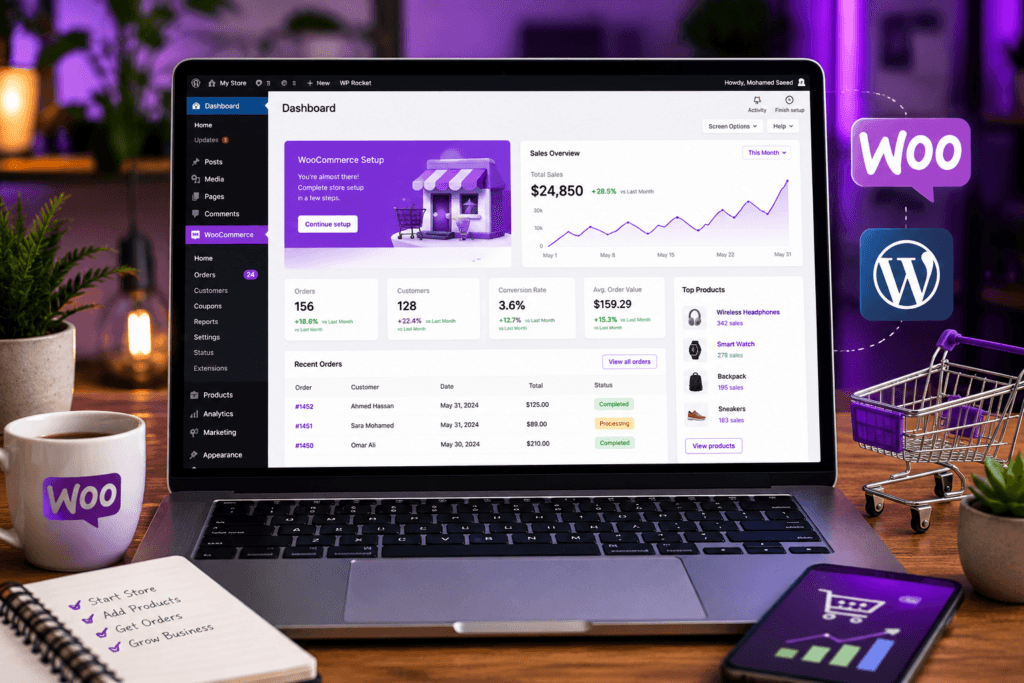
For businesses targeting customers in Egypt, Saudi Arabia, the UAE, or international markets, WooCommerce also provides the flexibility to integrate regional payment gateways, different currencies, shipping methods, multilingual content, analytics, marketing tools, and custom ecommerce functionality.
This guide walks through the complete process of building a WooCommerce store—from hosting and installation to products, payments, shipping, SEO, performance, and launch.
If you are still deciding where your store should be hosted, my WordPress hosting guide for Egypt and Saudi Arabia explains server location, hosting types, performance, security, scalability, and the infrastructure requirements of ecommerce websites.
What Is WooCommerce and Why Do Businesses Use It?
What Is WooCommerce?
WooCommerce is an ecommerce solution built for WordPress. The core platform is open source and can be extended with themes, plugins, custom development, payment gateways, shipping integrations, analytics systems, and marketing tools.
According to WooCommerce’s own documentation, the platform can support physical products, digital products, subscriptions, appointments, content, and other ecommerce models.
That flexibility makes it suitable for projects ranging from a small product catalog to a more complex ecommerce operation with hundreds or thousands of products.
WooCommerce vs Hosted Ecommerce Platforms
WooCommerce and hosted ecommerce platforms such as Shopify follow different models.
| Area | WooCommerce | Hosted Ecommerce Platform |
|---|---|---|
| Hosting | You choose and control hosting | Hosting is usually included |
| Platform model | Open-source WordPress solution | Hosted SaaS platform |
| Customization | Highly extensible | Depends on platform limitations and apps |
| Server control | Available depending on hosting | Usually managed by platform |
| Maintenance | You or your provider manage it | Much is managed by platform |
| Plugins & integrations | Large WordPress ecosystem | Platform-specific ecosystem |
| Ownership & portability | Website hosted in your chosen environment | Operates within provider infrastructure |
Neither model is automatically better for every business.
WooCommerce is particularly attractive when you want greater control over the website architecture, SEO, hosting, custom features, payment integrations, and long-term expansion.
Step 1: Choose the Right Hosting for Your WooCommerce Store
What Does WooCommerce Hosting Need?
Ecommerce usually places more demand on hosting than a basic corporate website because the server may need to process:
- Product searches
- Cart sessions
- Checkout requests
- Customer accounts
- Payment callbacks
- Inventory updates
- Dynamic pricing
- Database queries
- Marketing integrations
- Background tasks
WooCommerce currently recommends an environment with modern WordPress and server software, PHP 8.3 or newer, MySQL 8.0+ or MariaDB 10.6+, HTTPS, and a WordPress memory limit of at least 256 MB.
You can review the official WooCommerce server recommendations before purchasing hosting.
What Should You Look for in WooCommerce Hosting?
Look beyond storage and bandwidth. Consider:
- Sufficient PHP workers
- Reliable CPU and memory resources
- NVMe or fast SSD storage
- Current PHP versions
- Daily backups
- Staging support
- Server-level caching
- SSL
- CDN compatibility
- Security monitoring
- Easy scalability
- Good database performance
For small stores, good managed WordPress hosting may be sufficient. Larger WooCommerce stores can benefit from cloud hosting or a properly managed VPS as traffic and backend workloads increase.
Step 2: Install WordPress and WooCommerce
Install WordPress
Most reputable hosting providers now provide an automated WordPress installer.
The basic process normally looks like this:
- Log in to your hosting dashboard.
- Select WordPress installation.
- Choose your domain.
- Configure your administrator account.
- Enable HTTPS.
- Complete the installation.
- Log in to WordPress.
Avoid usernames such as admin, use a strong password, and keep WordPress, PHP, themes, and plugins updated.
Install WooCommerce
From WordPress:
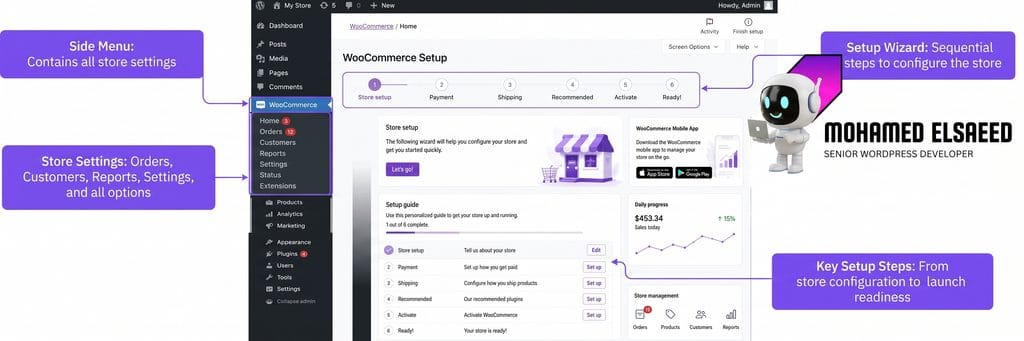
Plugins → Add New Plugin → Search for WooCommerce → Install → Activate
WooCommerce will then guide you through its onboarding process, where you can configure information such as your business location, industry, products, and store requirements.
The official WooCommerce setup documentation provides the current onboarding process directly from WooCommerce.
Before proceeding too far, correctly configure:
- Store country
- Business address
- Currency
- Tax requirements
- Product types
- Shipping markets
For example, an Egypt-focused store may primarily use EGP, while a Saudi store may use SAR. A multi-country ecommerce project may require a more advanced currency and regional setup.
Step 3: Choose the Right WooCommerce Theme

Your theme influences much more than visual appearance.
It can affect:
- Product page layouts
- Header and navigation
- Mobile usability
- Filtering
- Search
- Cart interactions
- Checkout presentation
- CSS and JavaScript weight
- Elementor compatibility
- Core Web Vitals
Popular WooCommerce Theme Options
1. Flatsome
Flatsome is built heavily around ecommerce and includes its own design system and WooCommerce components.
It can work well for stores that want a broad selection of ready-made ecommerce layouts and components.
2. Astra
Astra provides a lighter foundation and integrates well with popular WordPress page builders.
It can be a useful choice when you want more control over the page-building stack instead of relying heavily on theme-specific layouts.
3. WoodMart
WoodMart is designed primarily for WooCommerce and includes ecommerce-focused components such as product grids, filters, mega menus, quick views, variations, and advanced shop layouts.
For larger catalogs, it can provide many ecommerce functions without requiring separate plugins for every visual feature.
4. Blocksy
Blocksy is another flexible WordPress theme with WooCommerce integration and a relatively lightweight architecture.
It can be useful when you want a cleaner base while retaining customization options.
How Should You Choose?
Do not choose a theme simply because its demo looks impressive.
Evaluate:
- Performance
- Mobile UX
- WooCommerce support
- Update frequency
- Compatibility with your required plugins
- Customization flexibility
- Accessibility
- RTL support if Arabic is required
- Ease of long-term maintenance
A custom store structure built around the business is usually stronger than importing an entire demo and replacing its text and images.
Step 4: Configure Products and Present Them Professionally
Core WooCommerce Product Types
WooCommerce supports several product configurations.
Simple Product
A standalone product with a straightforward price and purchasing process.
Examples:
- Book
- Bag
- Electronic accessory
Variable Product
Useful when one product has several options.
For example:
- Shirt available in multiple sizes
- Shoes available in several colors
- Product with different storage capacities
Virtual or Downloadable Product
Useful for:
- eBooks
- Design files
- Digital resources
- Software
- Downloadable materials
Grouped Product
Allows multiple related products to be presented together while remaining separate products.
WooCommerce provides detailed information on creating and managing these different product structures in its official product management documentation.
How to Build Better Product Pages
A professional product page should answer the questions a potential customer has before purchasing.
Include:
- High-quality product photography
Use clear images from multiple angles where appropriate. - A benefit-oriented product title and description
Explain what the product does for the customer instead of listing specifications alone. - Clear pricing
Avoid unexpected pricing surprises later in the checkout journey. - Availability information
Make stock status easy to understand. - Product variations
Sizes, colors, specifications, or packages should be simple to select. - Shipping and returns information
Reduce uncertainty before checkout. - Customer reviews where appropriate
Genuine reviews can provide useful information and social proof. - Related products
Use cross-sells and related products when they genuinely help the buyer discover relevant items.
Product information also matters for search visibility, so avoid copying the same generic supplier description across dozens of websites.
Step 5: Configure Payment Gateways
Payments are one of the most important parts of any WooCommerce store.
WooCommerce supports a wide range of gateway integrations, and its own documentation recommends evaluating payment providers based on factors such as availability, merchant requirements, fees, customer experience, privacy, and business model.
You can review WooCommerce’s payment gateway selection guide before committing to one provider.
Payment Options for WooCommerce Stores in Egypt
Paymob
Paymob provides an official WooCommerce integration and currently supports multiple local and international payment methods across Egypt and other MENA markets.
If your business operates in Egypt, the official Paymob WooCommerce integration documentation is a useful starting point.
Fawry and Other Local Methods
Depending on your payment provider and merchant agreement, local payment methods can also be integrated into WooCommerce through compatible gateways or payment aggregators.
Always verify:
- Supported WooCommerce version
- HPOS compatibility
- Checkout Blocks compatibility
- Refund handling
- Settlement schedule
- Plugin update history
- Support quality
before deploying a payment plugin on a production store.
Payment Options for Saudi Arabia and the Gulf
Moyasar
Moyasar provides its own WooCommerce plugin and documentation for configuring ecommerce payments. Its current WooCommerce integration supports several payment methods and API-based configuration.
See the official Moyasar WooCommerce documentation for the latest requirements and installation process.
HyperPay
HyperPay is another payment provider used in the region. Integration method and supported checkout functionality should be verified against the extension/provider you intend to use before launch.
Tabby
Stores that want to provide buy-now-pay-later options can also evaluate Tabby. Tabby currently lists WooCommerce among its supported ecommerce platforms.
Its WooCommerce-supported ecommerce platform documentation can help confirm current integration availability.
Cash on Delivery
WooCommerce also supports Cash on Delivery as a core payment method. Whether it makes business sense depends on your market, shipping model, product value, return rate, and operating costs.
Do Not Depend on One Payment Method
Where commercially practical, provide more than one relevant way to pay.
A customer unable to use one gateway should not automatically have to abandon the order.
Step 6: Set Up Shipping and Delivery
Configure WooCommerce Shipping Zones
For physical products, WooCommerce shipping begins with Shipping Zones.
A shipping zone defines the geographic area and the shipping methods available to customers within that area.
WooCommerce allows zones to be configured by country, region, or even postal code, with customers receiving the methods assigned to the first matching zone.
You can follow the official WooCommerce Shipping Zones guide for current configuration steps.
For example:
Egypt
- Cairo & Giza
- Alexandria
- Delta
- Upper Egypt
- Rest of Egypt
Saudi Arabia
- Riyadh
- Jeddah
- Eastern Province
- Other regions
You may then assign different shipping methods and rates to each zone.
Common Shipping Methods
WooCommerce stores often use combinations of:
- Flat-rate shipping
- Free shipping above a certain order value
- Local pickup
- Carrier-calculated shipping
- Same-day or express delivery
- Weight-based shipping
Shipping Company Integrations
Depending on the market and available integration, stores may work with services such as:
Egypt: Bosta, Aramex and other local logistics providers.
Saudi Arabia: SMSA Express, Aramex, DHL, SPL and other carriers.
Do not install a logistics plugin merely because it exists. Verify its current maintenance status and test:
- Order creation
- Shipping labels
- Tracking numbers
- Status updates
- Failed orders
- Returns
on staging before launching.
Step 7: Install Only the WooCommerce Plugins You Actually Need
A common mistake is installing dozens of WooCommerce plugins simply because each one promises another feature.
Every extension introduces additional:
- PHP code
- Database activity
- CSS
- JavaScript
- Update dependencies
- Compatibility risks
Your plugin stack should therefore be built around actual business requirements.
SEO and Analytics
Possible tools include:
- Rank Math or Yoast SEO
- Google Analytics integration
- Google Site Kit
- Merchant Center integrations
- Pixel/tracking integrations when needed
Customer Experience
Depending on the store:
- Wishlist
- Product comparison
- Variation swatches
- Advanced search
- Product filtering
- Bundles
- Related products
should be added only when they improve the actual shopping experience.
Performance
Do not run multiple full-page cache systems against each other.
Choose an optimization stack that matches your server and website architecture.
For example:
- LiteSpeed Cache can be appropriate on LiteSpeed infrastructure.
- WP Rocket can be used in other WordPress environments.
- Cloudflare can provide a CDN and additional edge/network functionality.
Performance optimization is not about enabling every switch. It is about reducing unnecessary work without breaking ecommerce functionality.
Security and Backups
An ecommerce website handles valuable customer and order data.
Use:
- Strong administrator authentication
- Regular backups
- Security monitoring
- Updated WordPress core
- Updated themes/plugins
- HTTPS
- Reputable payment integrations
If you want a professionally planned ecommerce architecture instead of assembling dozens of plugins independently, my WooCommerce and WordPress development services include store architecture, product experience, payment/shipping configuration, performance, and responsive development.
Step 8: Optimize Your WooCommerce Store for SEO
Why Ecommerce SEO Matters
SEO can help potential customers discover products while they are actively searching for them.
Google’s own ecommerce documentation emphasizes clear site architecture, product data, URL structure, crawlability, structured data, and the relationship between categories and products.
For a detailed technical reference, see Google’s ecommerce SEO best practices.
1. Optimize Product Pages
Each important product should have:
- A unique product title
- Useful product description
- Clear images
- Descriptive ALT text
- Relevant category
- Clean URL
- Accurate price
- Availability information
- Shipping/return information where appropriate
Avoid automatically copying supplier descriptions word for word.
2. Build a Logical Store Architecture
Your navigation might look like:
Home → Category → Subcategory → Product
Keep important products and categories accessible through internal links rather than relying entirely on search filters.
3. Use Clean Product URLs
A readable URL such as:
/product/product-name/
is easier to understand than unnecessary parameters or meaningless identifiers.
4. Optimize Store Performance
Product pages can become heavy because of:
- Large images
- Variation scripts
- Tracking scripts
- Sliders
- Reviews
- Third-party widgets
- Payment scripts
- Marketing pixels
Compress images, use appropriate next-generation formats, configure caching correctly, optimize JavaScript/CSS carefully, and monitor Core Web Vitals.
5. Use Product Structured Data Correctly
Google supports merchant listing structured data that can communicate information such as product price, availability, shipping, and return details.
Review Google’s Product and Merchant Listing structured data documentation rather than manually adding random schema fields.
WooCommerce and SEO plugins may generate significant parts of this automatically, but the final output should still be validated.
6. Build Internal Links
Link products to:
- Relevant categories
- Related products
- Supporting buying guides
- Useful blog articles
- Important landing pages
Internal linking helps both visitors and search engines understand your ecommerce structure.
Step 9: Test and Launch Your WooCommerce Store
Final WooCommerce Launch Checklist
Before opening the store to customers, verify:
- Homepage works on desktop, tablet, and mobile
- Navigation is clear
- Search works
- Filters work
- Product variations work
- Add to Cart works
- Cart totals are correct
- Coupon functionality works if enabled
- Shipping rates are correct
- Payment gateways work
- Transaction emails are delivered
- Customer registration works
- Password reset works
- Order confirmation works
- Inventory updates correctly
- Returns/refund policies are available
- Privacy policy is available
- Contact information is easy to find
- HTTPS works throughout checkout
- Analytics tracking is working
Most importantly, place a complete test order yourself.
Do not assume the checkout works because the button appears.
Test it from product selection all the way to:
Product → Cart → Checkout → Payment → Confirmation → Email → Order Dashboard
Google also recommends verifying your website, submitting or maintaining a sitemap, monitoring indexing, and considering Merchant Center as part of an ecommerce launch strategy.
You can follow Google’s official ecommerce website launch checklist for the search visibility side of launch.
Initial Marketing Channels
Depending on your audience, the early marketing mix may include:
- Google Search campaigns
- Google Shopping
- Meta Ads
- TikTok
- Snapchat
- Email marketing
- Remarketing
- Influencer partnerships
- SEO content
Do not try every channel at once.
Start with the channels where your customers already spend time, measure results, then increase investment based on data.
Common Mistakes to Avoid When Building a WooCommerce Store
1. Choosing Hosting Based Only on Price
Saving a small amount on hosting is not helpful if checkout becomes slow during traffic peaks.
Choose resources based on your actual ecommerce requirements.
2. Ignoring Mobile Experience
Do not treat mobile responsiveness as simply shrinking the desktop version.
Test:
- Product gallery
- Variation selectors
- Filters
- Sticky buttons
- Cart
- Forms
- Checkout
- Payment interfaces
on real mobile devices.
3. Installing Too Many Plugins
Plugin count alone is not the entire performance story, but unnecessary or poorly developed plugins can create additional database queries, scripts, styles, conflicts, and security exposure.
Install what the business needs.
4. Using the Wrong Payment Gateway
Before integration, evaluate:
- Supported country
- Payment methods
- Fees
- Settlement
- Refund workflow
- WooCommerce compatibility
- Support
- Checkout experience
5. Copying Supplier Product Descriptions
Create original descriptions that explain benefits, usage, differentiators, specifications, and buyer questions.
This provides greater value to both customers and search engines.
6. Ignoring Backups
An ecommerce database changes constantly because of:
- Orders
- Customers
- Stock
- Coupons
- Payments
- Account data
A backup strategy is essential.
7. Making Checkout Too Complicated
Only request information that is necessary to process the order.
Every unnecessary field or confusing step creates additional friction.
8. Launching Without Analytics
You should be able to understand:
- Product views
- Add-to-cart behavior
- Checkout starts
- Purchases
- Traffic sources
- Device usage
- Important landing pages
Without measurement, ecommerce optimization becomes guesswork.
الخلاصة: طريقك لمتجر WooCommerce ناجح
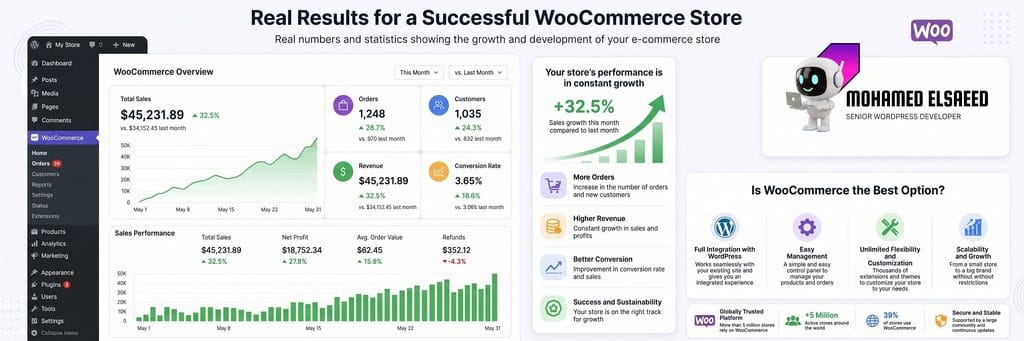
Learning how to build a WooCommerce store is not simply about knowing where the Install button is.
A successful store is a connected system:
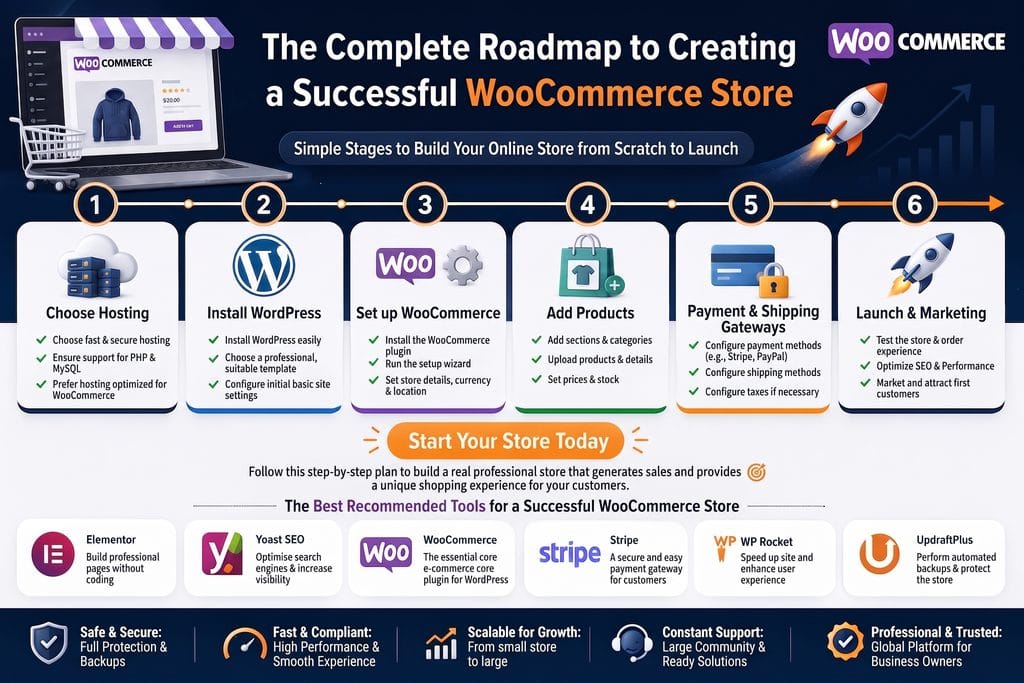
Hosting → Design → Products → Payments → Shipping → Performance → SEO → Analytics → Marketing
Throughout this guide, we covered:
- Choosing hosting suitable for WooCommerce
- Installing WordPress and WooCommerce
- Selecting an ecommerce theme
- Creating product structures
- Configuring regional payment methods
- Building shipping zones
- Choosing plugins carefully
- Optimizing ecommerce SEO
- Testing the complete customer journey
- Preparing the store for launch
If you want to see how these principles translate into real WordPress projects, you can explore my WordPress and ecommerce portfolio, which includes WooCommerce stores and other custom platforms developed for different business requirements.
A strong ecommerce store should not only look professional. It should make it easy for visitors to find products, understand what they are buying, complete payment, and confidently return in the future.
Need a Professional WooCommerce Store?
Building a production-ready store involves product architecture, UI/UX, responsive development, payment gateway integration, shipping configuration, performance, technical SEO, testing, and ongoing maintainability.
I design and develop WordPress and WooCommerce websites around the requirements of each project rather than relying on a one-size-fits-all store template.
You can learn more about my WooCommerce development services or review my background as a WordPress developer and UI/UX designer.
If you already have a project in mind, you can also contact me to discuss your ecommerce website.
Footnotes
- WooCommerce Statistics 2026: Stores, Revenue & Market Share — Colorlib ↩
- Flatsome — Multi-Purpose Responsive WooCommerce Theme — ThemeForest ↩
- PDF Invoices and Packing Slips For WooCommerce — WordPress Plugin ↩




Best WordPress Speed Optimization Plugins (2026)
[…] you are working on ecommerce, my guide to building a WooCommerce store from scratch covers the wider architecture around hosting, products, payments, shipping, performance, and […]
Mohamed Elsaeed | WordPress Developer & UI/UX Designer
[…] For a detailed breakdown of the process, read the guide to building a WooCommerce store from scratch. […]
WooCommerce Setup Guide: Build an Online Store Step by Step
[…] If you are still at the planning stage and want a broader overview covering ecommerce architecture, themes, regional payments, shipping, and launch strategy, read my complete guide to building a WooCommerce store from scratch. […]
WordPress Tools and Plugins I Use for Websites (2026)
[…] an ecommerce project, my WooCommerce setup guide covers the configuration process, while the complete WooCommerce store development guide explains the wider process from hosting and products to payments, shipping, SEO, performance, and […]