

24 September
Website design
WordPress Tools and Plugins I Use for Professional Websites in 2026
- Mohamed ElSaeed
- مواقع الشركات, مواقع ووردبريس, ووردبريس
- 0 Comments
I am often asked which WordPress tools and plugins I use when designing and developing professional websites, and whether there is one specific plugin stack that works for every project.
The answer is no.
A professional WordPress website is not built by installing as many plugins as possible. The technical stack should be selected according to the website’s purpose, expected traffic, required functionality, target market, performance requirements, and future growth.
For different projects, I may work with tools such as Elementor Pro, UiCore, ACF, CPT UI, WooCommerce, Rank Math Pro, WP Rocket, LiteSpeed Cache, Cloudflare, Polylang Pro, Contact Form 7, Site Kit, Loco Translate, and FileBird Pro.
However, I do not install every tool on every website.
The objective is always to create the smallest practical stack that can deliver the required functionality without unnecessary complexity.
In this guide, I’ll explain the main tools and technologies I use across WordPress projects, what each category is responsible for, and why choosing the right stack matters for performance, security, SEO, scalability, and long-term maintenance.
The WordPress Tools and Plugins Behind a Professional Website
The visible design is only one layer of a professional website.
Behind the interface, several systems work together to handle:
- Content management
- Dynamic data
- Forms
- SEO
- Performance
- Security
- Ecommerce
- Multilingual content
- Analytics
- Backups
- Integrations
This is why I do not evaluate a website only by how its homepage looks.
A technically strong website should also be easy to manage, responsive, reasonably fast, secure, scalable, and maintainable.
If you are planning a new project, choosing the infrastructure comes before selecting dozens of plugins. My WordPress hosting guide for Egypt and Saudi Arabia explains how hosting type, server location, resources, CDN configuration, and scalability affect the website before WordPress optimization even begins.
Core Platform: Self-Hosted WordPress
WordPress.org
For my WordPress projects, I primarily work with self-hosted WordPress rather than relying on a closed website-building platform.
Self-hosted WordPress provides extensive control over:
- Website files
- Hosting infrastructure
- Themes
- Plugins
- Custom development
- Database configuration
- SEO
- Performance
- Integrations
- Content ownership
WordPress itself highlights its flexibility, extensibility through themes and plugins, custom content types, REST API support, and control over website data among its core capabilities.
You can review the official WordPress features documentation for a broader overview of the platform.
Depending on the website, my development layer may also include Elementor Pro for visual development, UiCore for suitable projects, and tools such as Advanced Custom Fields (ACF) and Custom Post Type UI when the project requires dynamic content structures rather than static pages.
For example, a real estate website may need custom property fields, while an educational platform may need structured courses, instructors, or other content types.
The technology should follow the content model—not the other way around.
Hosting and Infrastructure
Good WordPress development starts at server level.
Before choosing caching or optimization plugins, I look at whether the hosting environment provides the resources and technologies the project needs.
Important considerations can include:
- NVMe or fast SSD storage
- Appropriate CPU and memory resources
- Current PHP versions
- SSL/HTTPS
- Automated backups
- Server security
- Reliable uptime
- Scalable resources
- CDN compatibility
The exact hosting environment depends on the project.
A small company website may work perfectly on good managed WordPress hosting, while a growing WooCommerce store, LMS, or high-traffic platform may require more powerful cloud or VPS infrastructure.
The key point is that plugins cannot fully compensate for an unsuitable server.
If the server responds slowly or regularly runs out of resources, adding another optimization plugin does not solve the underlying infrastructure problem.
WordPress Security Tools and Practices
WordPress security should never depend on one plugin.
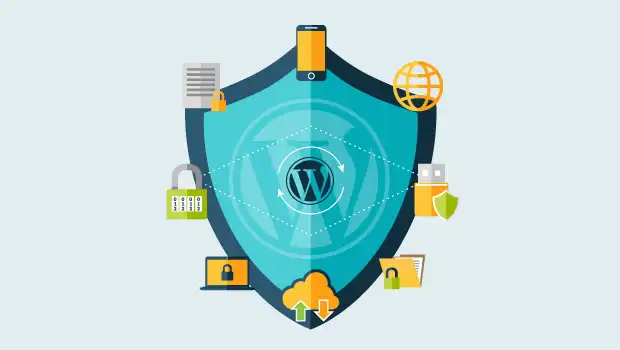
I prefer a layered approach that can include:
- Secure hosting
- HTTPS
- Strong administrator credentials
- Controlled user permissions
- Regular WordPress updates
- Updated themes and plugins
- Firewall protection
- Login protection
- Automated backups
- Cloudflare
- Monitoring
WordPress’s own security documentation describes security as risk reduction rather than perfect risk elimination, and recommends measures such as keeping WordPress and its extensions updated, securing passwords, protecting the hosting environment, maintaining backups, and monitoring the installation.
The official WordPress hardening guide is a useful technical reference for anyone responsible for maintaining a WordPress installation.
For many projects, I also use Cloudflare as an additional network layer for DNS, CDN, SSL/TLS, caching, and security functionality depending on the website configuration.
Security should be considered during development—not installed as an emergency measure after the website has already been compromised.
WordPress Performance and Speed Optimization Tools
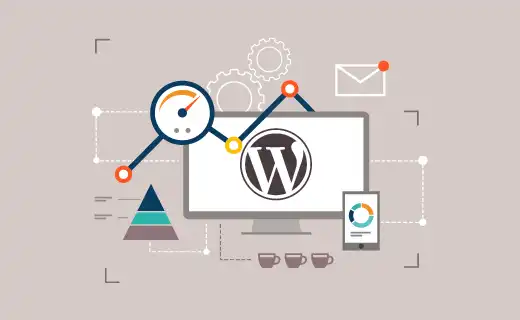
Performance is another area where I avoid using the same configuration for every website.
Depending on the server and website architecture, I may use:
- WP Rocket
- LiteSpeed Cache
- Cloudflare
- Image optimization
- WebP or AVIF
- Browser caching
- Lazy loading
- CSS optimization
- JavaScript optimization
- Font optimization
- Database cleanup
One important rule is that I do not run multiple full-page caching systems against each other.
For example, a website should not normally have WP Rocket, LiteSpeed Cache page caching, and another page cache plugin all trying to control the same layer.
On LiteSpeed infrastructure, LiteSpeed Cache can be a strong choice because of its server-level integration.
On other hosting environments, WP Rocket can provide a powerful optimization layer.
But enabling every performance option is not necessarily the right strategy.
Aggressive CSS or JavaScript optimization can break:
- Headers
- Sticky sections
- Popups
- Off-canvas menus
- Sliders
- Forms
- WooCommerce functionality
The website must still work correctly after optimization.
Google’s Core Web Vitals provide useful measurements for loading performance, responsiveness, and visual stability, but performance should be evaluated together with the actual user experience.
You can test pages using Google PageSpeed Insights.
For a much deeper comparison of the tools I use, read my guide to the best WordPress speed optimization plugins.
SEO Tools for WordPress

SEO tools help manage important technical and on-page elements, but an SEO plugin does not automatically make a website rank.
For WordPress SEO, one of the primary tools I use is Rank Math Pro.
Depending on the project, it can help manage areas such as:
- SEO titles
- Meta descriptions
- XML sitemaps
- Canonical URLs
- Schema markup
- Redirects
- Robots directives
- On-page SEO analysis
I also use Google Site Kit where appropriate to connect useful Google services and make reporting easier within WordPress.
However, SEO requires much more than achieving a green score inside a plugin.
Google describes SEO as helping search engines understand your content and helping users discover your website through search. It explicitly states that there are no secret techniques that automatically guarantee first position.
You can read the official Google SEO Starter Guide for Google’s own recommendations.
For practical page-level implementation, my on-page SEO guide for 2026 covers titles, descriptions, keywords, headings, content, internal links, images, performance, and UX.
For businesses targeting geographic markets, my Local SEO guide for Egypt and Saudi Arabia covers Google Business Profile, local pages, customer reviews, local keywords, and LocalBusiness structured data.
SEO tools provide the infrastructure. Strategy, content quality, technical implementation, and search intent still matter.
Marketing and Conversion Tools

A website should not only receive visitors. It should make the next action clear.
Depending on the website, I may use tools for:
- Contact forms
- Quote requests
- Lead capture
- Analytics
- Conversion tracking
- Email integration
- WhatsApp contact
- Advertising tracking
For straightforward forms, Contact Form 7 can be sufficient for many projects, while more advanced requirements may justify a different form or automation solution.
The correct tool depends on the workflow.
A simple corporate website may only require:
Visitor → Service Page → Contact Form → Lead
while another project may require:
Landing Page → Form → CRM → Email Automation → Sales Team
I try to avoid adding marketing plugins simply because they offer dozens of features.
Every additional script, tracker, popup, chat widget, or integration can introduce more JavaScript, network requests, cookies, and potential performance overhead.
The marketing stack should therefore be tied to measurable business requirements.
Ecommerce and WooCommerce Tools

For ecommerce websites built with WordPress, WooCommerce is the core commerce platform I primarily work with.
WooCommerce provides the foundation for:
- Products
- Categories
- Inventory
- Cart
- Checkout
- Customer accounts
- Orders
- Payments
- Shipping
Its setup process includes products, payments, store customization, tax, shipping, and launch preparation.
You can review the official WooCommerce getting started documentation for the platform’s current setup guidance.
Depending on the project, the WooCommerce stack can also involve:
- Regional payment gateways
- Shipping providers
- Multicurrency functionality
- Product filters
- Wishlist systems
- Affiliate systems
- Analytics
- Multilingual ecommerce
For multilingual stores, I may use Polylang Pro together with the appropriate WooCommerce multilingual integration where required.
I may also use tools such as Loco Translate for translation management when appropriate.
However, ecommerce plugins should be selected carefully because every additional checkout, payment, shipping, or product extension becomes another dependency that must remain compatible with WordPress and WooCommerce updates.
If you are planning an ecommerce project, my WooCommerce setup guide covers the configuration process, while the complete WooCommerce store development guide explains the wider process from hosting and products to payments, shipping, SEO, performance, and launch.
Internal Content Management Tools
A professional WordPress website should also be easy to manage after development.
This becomes especially important when the client needs to maintain:
- Services
- Projects
- Team members
- Properties
- Products
- Articles
- Courses
- Testimonials
- Locations
Rather than hard-coding every content item into individual pages, I can build reusable content structures using tools such as Advanced Custom Fields (ACF) and Custom Post Type UI where appropriate.
For example, a portfolio project can have structured fields for:
- Client
- Project category
- Location
- Website
- Technologies
- Completion date
- Project images
The same template can then display those fields consistently across all projects.
For media-heavy websites, I may use FileBird Pro to organize the WordPress Media Library into a more manageable folder structure.
For multilingual websites, tools such as Polylang Pro and Loco Translate can help manage different parts of the localization workflow.
These tools are not primarily about what the visitor sees.
They improve what happens behind the website, making content easier to manage and reducing unnecessary manual work.
How I Choose the Right WordPress Tools for Each Project
I do not start a project by opening a list of my favorite plugins and installing all of them.
The stack is selected according to the project.
I consider factors such as:
- Website type
A portfolio does not need the same architecture as an LMS or WooCommerce store. - Required functionality
The project may need ecommerce, multilingual content, booking, dynamic data, or simple lead generation. - Expected traffic
Hosting and caching decisions may change according to expected load. - Target market
Payment gateways, languages, currency, shipping, and hosting location can vary between Egypt, Saudi Arabia, the UAE, and international markets. - Performance requirements
Every plugin and third-party integration should justify the resources it adds. - Future scalability
I consider what the project may need six months or two years later—not only what it needs on launch day. - Maintenance
Stable, actively maintained tools are preferable to plugins that may become a long-term dependency problem. - Budget
Premium tools should solve a meaningful requirement rather than simply increasing the project’s license cost.
The right plugin is the one that solves the requirement reliably with the least unnecessary complexity.
This is also why I may recommend Elementor + ACF for one project, WooCommerce + Polylang for another, and a much smaller WordPress stack for a simple corporate website.
You can view examples of different technical approaches across my WordPress projects and case studies.
Frequently Asked Questions About WordPress Tools and Plugins
Do Too Many WordPress Plugins Make a Website Slow?
Not automatically.
Plugin quality and functionality matter more than the number alone.
Ten lightweight, well-developed plugins can sometimes create less overhead than one poorly developed plugin.
However, unnecessary plugins increase complexity and can introduce:
- Additional database queries
- CSS
- JavaScript
- External requests
- Compatibility issues
- Security exposure
- Maintenance requirements
I therefore prefer installing plugins according to actual project requirements rather than targeting a specific maximum number.
Do I Need an SEO Plugin for WordPress?
An SEO plugin is extremely useful for managing technical elements such as titles, meta descriptions, sitemaps, schema, canonical URLs, and redirects.
However, the plugin does not replace an SEO strategy.
It cannot automatically create useful content, understand every search intent, earn quality backlinks, or guarantee rankings.
For the wider optimization process, see my on-page SEO guide.
Does Every WordPress Website Need the Same Plugins?
No.
A five-page company website and a multilingual WooCommerce store have completely different technical requirements.
Using the same stack for every website can result in unnecessary complexity.
Should I Use WP Rocket or LiteSpeed Cache?
That depends heavily on the hosting environment.
LiteSpeed Cache is particularly powerful when the server supports LiteSpeed’s caching technology.
WP Rocket can be an excellent option in other WordPress environments.
I would not normally run both as competing full-page caching systems.
Is Elementor Enough to Build a Professional WordPress Website?
Elementor Pro can handle a significant part of visual development, but complex projects often require more than a page builder.
Depending on the project, the wider stack can include:
- Dynamic content
- Custom fields
- WooCommerce
- Custom post types
- Multilingual functionality
- Custom CSS
- Integrations
- Custom development
The page builder is one part of the architecture.

Conclusion
Choosing the right WordPress tools and plugins can make the difference between a website that is easy to operate and scale and one that becomes increasingly difficult to maintain.
My typical WordPress workflow can involve tools such as:
WordPress + Elementor Pro + ACF + WooCommerce + Rank Math + WP Rocket or LiteSpeed Cache + Cloudflare + project-specific plugins
but that should never be interpreted as a fixed stack for every website.
The correct approach is:
Business Requirements → Website Architecture → Required Features → Appropriate Tools
not:
Install Plugins → Find a Use for Them Later
The goal is to build websites that balance:
- Design
- User experience
- Performance
- Security
- SEO
- Scalability
- Maintainability
If you want to understand more about how I approach professional website projects, you can explore my WordPress development services or view my portfolio and recent projects.
If you already have a WordPress project and want to discuss the right technical stack, you can contact me through my website or discuss your project with me directly on WhatsApp.



Leave A Comment